Tuesday, February 25, 2020

week 3

Title: In week 3, i do some research some of software to use on raspberry Pi. 

Objective: This is a process to get familiarize with the software that later will be used to develop the system.

1) Python 


Python has become one of the most popular programming languages in the open source world. Its interpreter has been packaged and made available in every popular Linux distribution. If you install Raspbian on your Raspberry Pi, you will see an app called Thonny, which is a Python integrated development environment (IDE) for beginners. In a nutshell, an IDE is an application that provides all you need to get your code executed, often including things like debuggers, documentation, auto-completion, and emulators. Here is a great little tutorial to get you started using Thonny and Python on the Raspberry Pi.
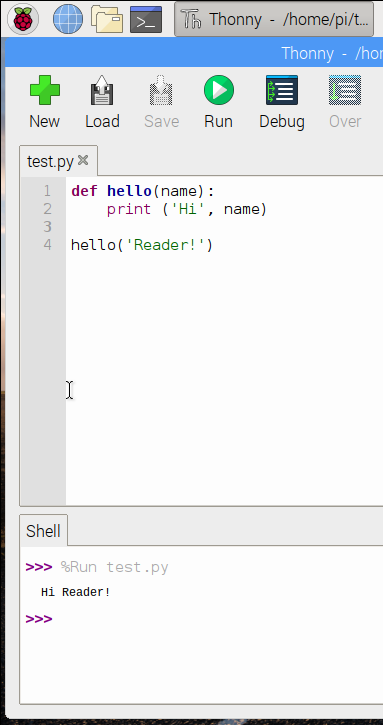
Thonny on Raspberry Pi

2) Java

Although arguably not as attractive as it once was, Java remains heavily used in universities around the world and deeply embedded in the enterprise. So, even though some will disagree that I'm recommending it as a beginner's language, I am compelled to do so; for one thing, it still very popular, and for another, there are a lot of books, classes, and other information available for you to learn Java. Get started on the Raspberry Pi by using the BlueJ Java IDE.
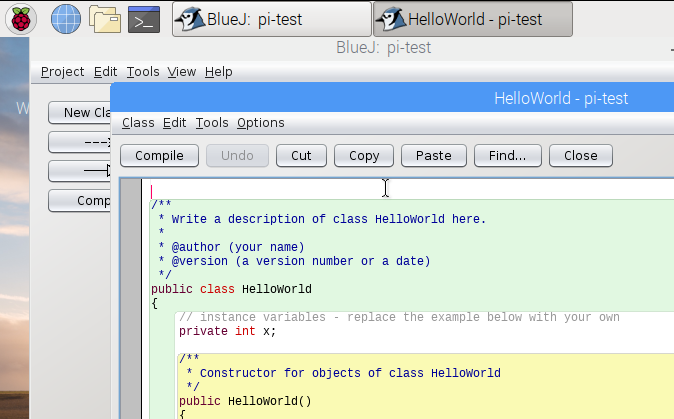
Blue Jay IDE

Wednesday, February 19, 2020

Week 2

Title: Purchase the hardware

1) Raspberry Pi Model B-2GB

The Raspberry Pi is a series of small single-board computers developed by the Raspberry Pi Foundation in the UK to promote the teaching of basic computer science in schools and in developing countries. The original model became far more popular than anticipated, getting outside its target market for uses such as automation, multimedia, robotics, IoT and now even in IR4.0

Here is the comparison table between Raspberry Pi 4 Model B vs Raspberry Pi 3 Model B+:

2) Bluetooth serial transceiver HC-05

This is the popular Bluetooth module, HC05 which can be configured as master or slave.
Master Bluetooth will be able to search for other Bluetooth devices and initiate connection.

Slave Bluetooth cannot search for other Bluetooth devices and can wait for master to initiate connection and accept the connection.

Features:
  • Bases at CSR BC04 Bluetooth technology.
  • With build-in 2.4GHz PCB antenna
  • It’s at the Bluetooth class 2 power level.
  • Range test: 10 meters
  • Operating voltage: 3.3V to 6V DC
  • Operating current in pairing is in the range of 30~40mA.
  • Operating current in communication is 8mA.
  • Interface via UART:
  • Default baudrate in Normal mode: 9600 bps
  • Default baudrate in AT Command mode: 38400 bps
  • Operating temperature range: -25 °C - +75°C
  • Dimensions 27mm×13mm×2.2mm


Tuesday, February 11, 2020

Week 1

Title: Redefine the methods to create the system 

Objective: To make sure the cost are not over budget.

The first week is about redefine the methods to create the system. After further research, i found that there are few changes need to be made.Due to the cost, i was unable to purchase Bluetooth 4.0 module.

I will change with Bluetooth HC05. I  only able to purchase normal Bluetooth because the cost to buy a Bluetooth 4.0 which can long range and efficiency is expensive. So, i will use normal BluetOoth HC05  that can transmitter the signal that cover range around 30m to 40m.